Mail or Jail Guides
Walkthroughs for every stage of the Delivery Day Studios shift loop.
What this hub covers
Mail or Jail is a Roblox simulation by Delivery Day Studios (group 372114481, place 70663806238212, universe 10450718227). Each workday follows the same high-stakes rhythm: unload the truck, check customer IDs carefully, deliver mail to the right people, catch package thieves, survive random events, and progress toward seven shifts without triggering FIRED from too many mistakes.
These guides explain how that loop works on desktop, mobile, tablet, and console — with honest expectations (~2.3M visits, ~14k favorites) and links to tools that help you practice. We do not sell fake codes; we teach mechanics that keep your job.
Recommended reading order
New sorters should follow this route before chasing optional rewards:
- How to play Mail or Jail — full shift loop, UI, and first-day goals
- Unload the delivery truck — morning parcel count, staging zones, and count errors before IDs
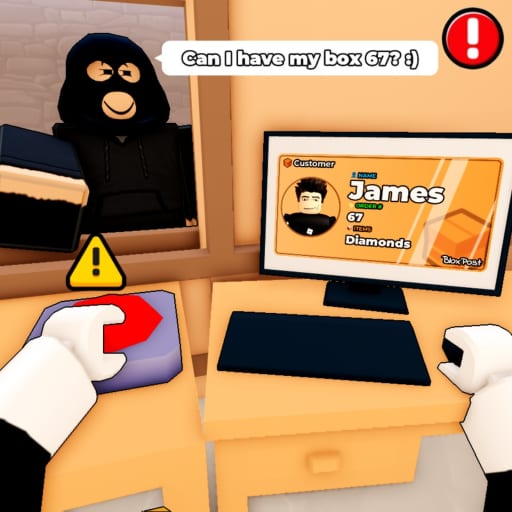
- Check customer IDs — the skill that prevents silent mistake buildup
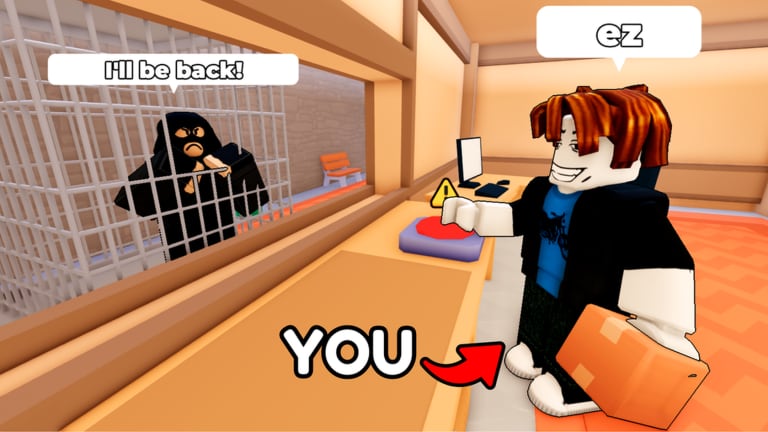
- Catch package thieves — theft events and timing
- Handle random events — storms, rush hours, and surprise inspections
- Survive seven shifts — pacing a full work week without termination
- Avoid getting fired — mistake budgets and recovery tactics
- How to deliver mail — label matching, staging, and queue discipline after IDs pass
- Common mistakes — top firing errors and when to restart a shift
Veterans can jump straight to the pain point that ended their last run, then cross-link sideways within the same category.
Guide summaries
How to play
Start here for the macro view: spawning in the depot, accepting packages, interacting with customers, and ending a shift cleanly. Pairs with Controls for platform-specific buttons.
Unload the delivery truck
Every shift starts at the cargo bay. This guide covers parcel count, staging zones, and the early mistakes that poison ID checks and deliveries later. Read it right after How to play and before your first serious Shift 2 attempt.
Check customer IDs
ID verification is the quiet fail state. One wrong name still counts toward firing. This guide breaks down document fields, common decoys, and double-check habits before you hand over a box.
Catch package thieves
Thieves pressure you while queues build. Learn spawn tells, patrol paths, and when to call for help without abandoning the sorting table.
Handle random events
Random events interrupt rhythm — weather, VIP deliveries, audits. Treat them as scheduled chaos: read the prompt, prioritize safety, then return to ID rules.
Survive seven shifts
Seven shifts is the long-form goal. This page focuses on stamina, upgrade timing, and when to spend mistakes versus when to restart.
Avoid getting fired
Understand how many errors you can afford, which mistakes weigh heavier, and how group bonuses from Group bonus do not override termination rules.
How to deliver mail
Turn verified packages into clean handoffs and route drops. Covers staging zones, queue order, when to refuse risky deliveries, and thief-safe table habits. Pairs with the ID checklist and Catch package thieves.
Common mistakes
Ranked firing errors — autopilot IDs, chase panic, event UI guesses — plus recovery modes and restart versus push-through decisions. Read after a FIRED screen before repeating the same shift.
Cross-hub resources
Guides explain why; these hubs give reference material:
| Hub | Use when |
|---|---|
| Controls | Rebinding or switching platform mid-week |
| Shifts | Breakdown of each shift’s pacing and goals |
| Events | Catalog of random events and telegraphs |
| Tools | Checklists and mistake trackers during live play |
| Codes | Verified promo strings (empty until announced) |
| Scripts | Understand risks before using third-party tools |
| Updates | Patch changes that alter guide advice |
| Review | Honest pros/cons if you are new to the sim |
| Links | Official Roblox pages and group destinations |
Video walkthroughs
Several guides embed real YouTube IDs verified for Mail or Jail — never fabricated clips. Videos sit mid-article so you read core rules first, then watch a demonstration. Prefer text? Every embed section repeats the same steps in writing for accessibility.
Full seven-shift footage is best paired with the Shifts hub when you want a chapter-style run; individual guides use shorter clips focused on one mechanic.
Support the developer (legitimate perks)
Like the game and join Delivery Day Studios group 372114481 for official bonuses — details on Group bonus. That is separate from skill improvement but helps you stay notified when new shifts or codes arrive.
How we keep guides accurate
We reconcile advice with:
- Public place update timestamps on Roblox
- Player reports aggregated after each patch (Updates)
- Cross-checks against Events and Shifts reference pages
If an update contradicts an older paragraph, the specific guide gets revised first, then this hub summary.
Related starting points
Frequently Asked Questions
Quick answers players ask after every shift.
Which Mail or Jail guide should I read first?
Start with How to play, then Check customer IDs. Most early FIRED screens trace back to skipped verification steps.
Do guides replace watching shift walkthroughs?
No. Guides explain decisions; videos show timing. Use both, especially for thieves and random events.
Are these guides for all platforms?
Yes. Core rules are the same on desktop, mobile, tablet, and console. See Controls for input differences.
Will guides help if promo codes release?
Codes may grant small boosts, but they do not replace ID checks or shift pacing. Read the codes hub separately.