Mail or Jail Tools
Checklists and trackers built for seven-shift survival
Mail or Jail by Delivery Day Studios is a pressure-cooker Roblox experience where one sloppy ID check or one missed thief can end your career before shift seven. The official game loop asks you to unload the morning truck, verify every customer carefully, deliver mail to the correct resident, catch package thieves, and survive random events that rewrite the rules mid-shift. Too many mistakes and you are fired on the spot. That design rewards preparation more than raw speed, which is exactly why this wiki tools section exists.
Unlike generic Roblox accessory pages, these tools are written around the real failure states players report after launch on July 5, 2026 and subsequent updates through August 2026. The two utilities here mirror what experienced postal workers do mentally: a repeatable ID verification pass before handing over a parcel, and a mistake ledger that keeps you honest about how close you are to termination each shift. Both are lightweight, work in your browser, and complement written guides rather than replacing them.
Why tools matter in Mail or Jail
The game advertises seven shifts as the full campaign arc. Each shift layers more deliveries, stricter timing, and stranger interruptions. Random events can force you to re-route, double-check manifests, or chase thieves while customers queue at the counter. Desktop, mobile, tablet, and console are all supported according to the official experience page, but the ID-reading UI differs slightly per platform. A written checklist keeps your process identical no matter where you play.
Mistake forgiveness is limited. Community playthroughs and the Mail or Jail review on this wiki describe a loop where early shifts teach mechanics and later shifts punish autopilot. Players who treat ID verification as a single glance at the photo tend to fail when names differ by one letter or when the package label uses a nickname. The ID checklist tool breaks verification into discrete steps so you do not skip a field because chat distracted you.
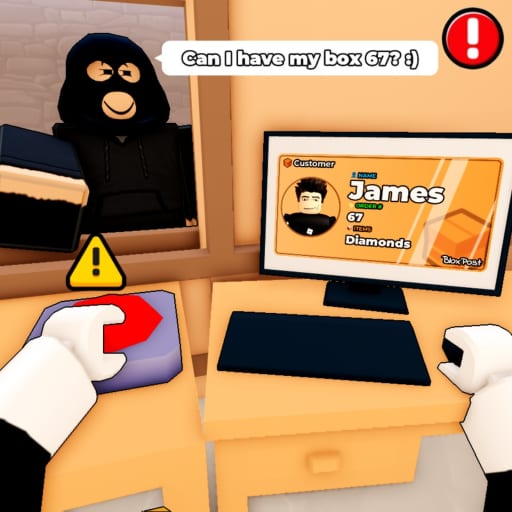
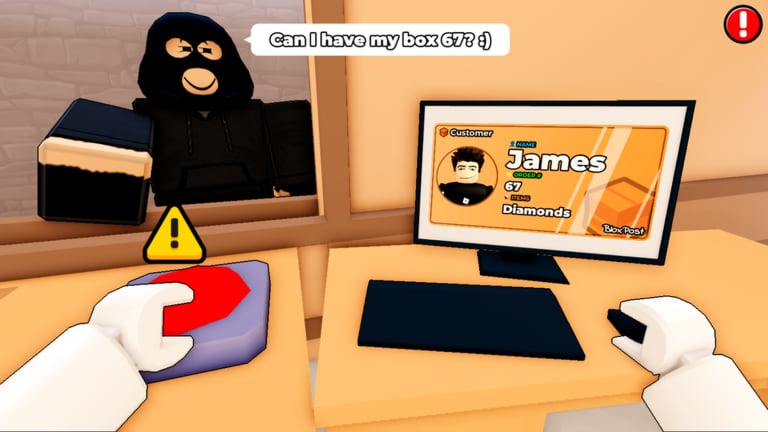
Thief catching adds a second cognitive load. You are not only validating identity; you are watching body language, queue order, and whether someone is trying to grab the wrong parcel. The checklist includes a deliberate pause for suspicious behavior so you do not release mail to an impostor while hunting the real thief across the map.
ID checklist tool
The ID checklist page hosts an interactive panel you can tick line-by-line before every handoff. It covers ten practical checks: name alignment with the package label, photo match, address consistency, tamper signs, restricted-mail rules, manifest details, and a final suspicious-behavior scan. Each item links to a plain-language explanation of why that step prevents a common firing reason.
Use the checklist when learning the job and when returning after a patch. Delivery Day Studios updated the experience on August 2, 2026; any change to ID layouts or delivery slips is easier to absorb if your habit stack stays fixed. Streamers and duo partners can call out checkbox numbers aloud so you stay synchronized without guessing.
The checklist is also useful for teaching friends in co-op lobbies. Mail or Jail is not a traditional co-op simulator, but groups often queue together and compare runs. Sharing the same verification order reduces arguments about who caused a firing and speeds up post-shift review.
Shift mistake tracker
The shift tracker is a simple counter for errors within a single shift and across your seven-shift attempt. Mail or Jail does not always surface a clear numeric warning before termination, so external tracking helps you decide when to slow down, skip optional side tasks, or reset a doomed run early instead of wasting time.
Log mistakes such as wrong deliveries, missed ID fields, false thief accusations, damage from random events, and late truck unloading. The tracker page explains typical pacing: early shifts forgive one or two slips while you learn controls, mid shifts demand cleaner runs, and final shifts combine event pressure with tighter timers. Pair the tracker with the updates hub when patches rebalance mistake limits.
How these tools fit the rest of the wiki
Tools do not grant in-game currency or codes. They are study aids. For legitimate progression help, read the scripts page for an honest snapshot of automation risks, browse the official links hub for the Roblox experience and Delivery Day Studios group, and watch the embedded review video on the review page to see the loop in motion before you commit to a full seven-shift marathon.
When new wiki sections launch for codes, controls, shifts, events, and guides, this hub will cross-link them from the related modules at the bottom of each article. For now, start with the ID checklist on your next run, keep the shift tracker open on a second monitor or phone, and revisit this page after every major update to see whether verification steps need refreshing.
Quick start workflow
Begin each session by reading the latest notes on the updates page. Queue into the official experience through the links directory. On shift one, run every ID check aloud using the checklist panel. After each mistake, tap the tracker button and note what category failed. Before shift five, review your cumulative error pattern and decide whether you need slower deliveries or more thief patrol time. After a full clear or firing, compare results with friends and adjust your checklist order if one failure type repeats.
This workflow turns Mail or Jail from a chaotic minigame collection into a skill you can drill deliberately. That is the point of the tools hub: less jail, more mail, and a documented path to finishing all seven shifts with confidence.
Frequently Asked Questions
Quick answers players ask after every shift.
Do these Mail or Jail tools modify the Roblox game?
No. They are browser-side checklists and counters on this wiki. They do not inject scripts, exploit remote events, or change in-game stats.
Which tool should I use first?
Start with the [ID checklist](/tools/id-checklist/) until verification feels automatic, then add the [shift tracker](/tools/shift-tracker/) when you push for a full seven-shift clear.
Will the tools work on mobile?
Yes. The panels use simple HTML controls that work on phone browsers while you play Mail or Jail on the Roblox mobile app.
Do I need Roblox Premium?
No. The tools are free on this wiki. Premium only affects Roblox platform features, not these checklists.